
Your song ideas, organized the way you think.
Pull up every clip you recorded at the cabin, every idea for one song, or all your jam sessions in one place. Your clips, lyrics, tabs and amp settings live together, filed in folders and tagged by place, mood and instrument.
Get launch news
One email when the iPhone and Android apps are out, then news now and then.
Check your inbox.
Kit will email you a link to confirm. Until you click it, you're not on the list.
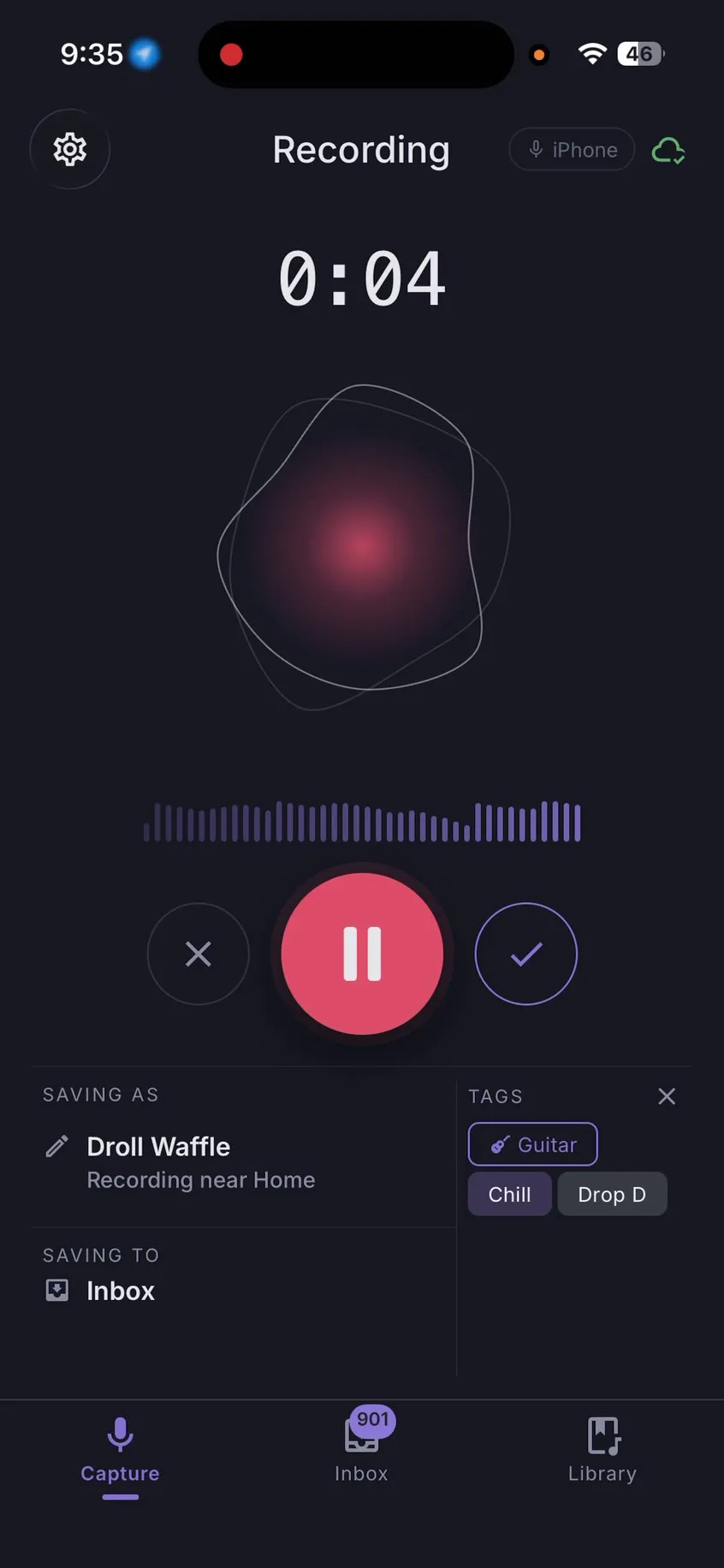
Record fast when the idea arrives, and find it easily when you come back.
Folders, nested as deep as you need.
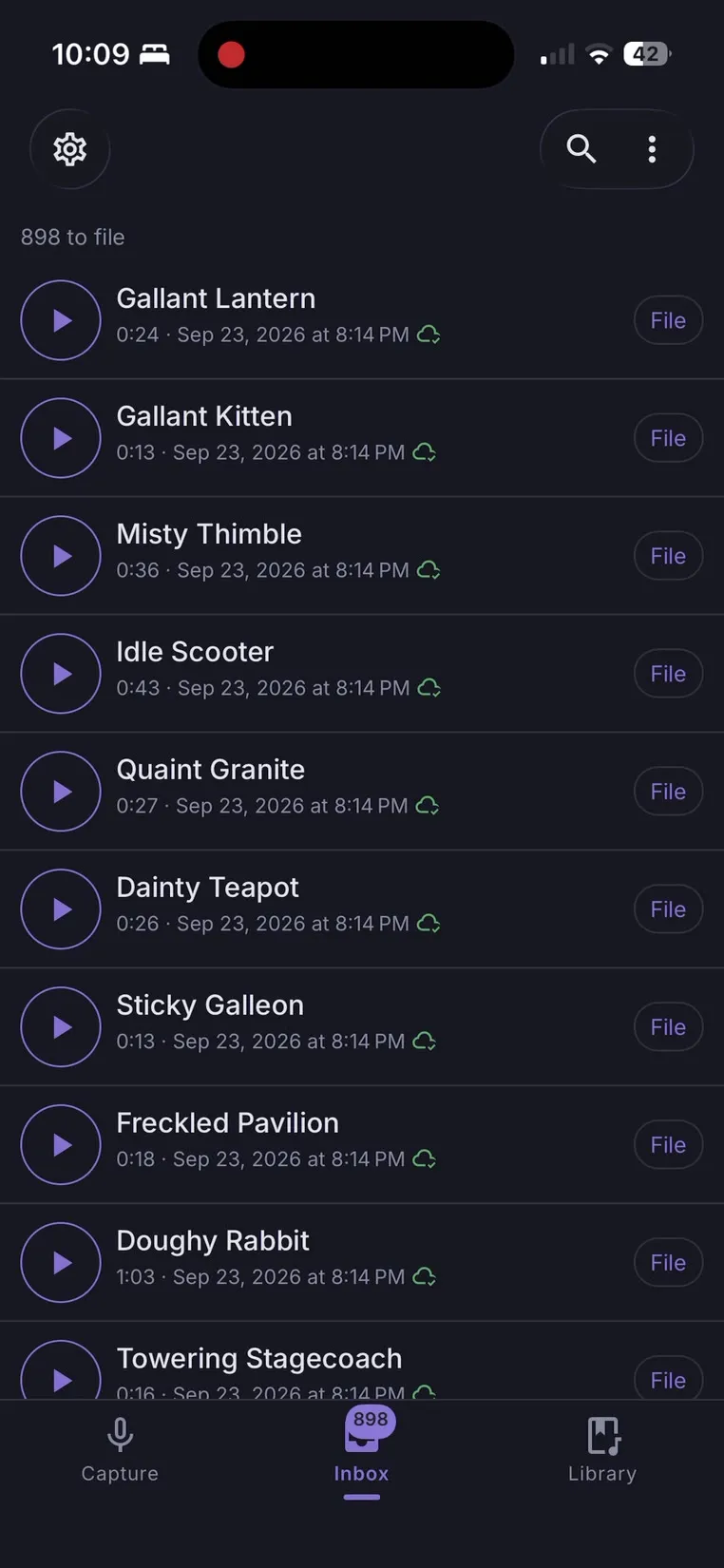
Every new clip lands in your Inbox: one long, unsorted list, like the one in any voice recorder. Next to it is your Library, where you give each idea a home. Nest folders as deep as you like, organizing by album, song, band or year, and keep notes beside the clips they belong to. Then label each clip with your own tags, its mood and the instruments on it. Every take also keeps the place it was recorded, so the ones from the cabin stay easy to find.
- Tags
- Odd time sigDrop D
- Mood
- Dark
- Instruments
- Acoustic guitar
- Location
- Cabin · added automatically
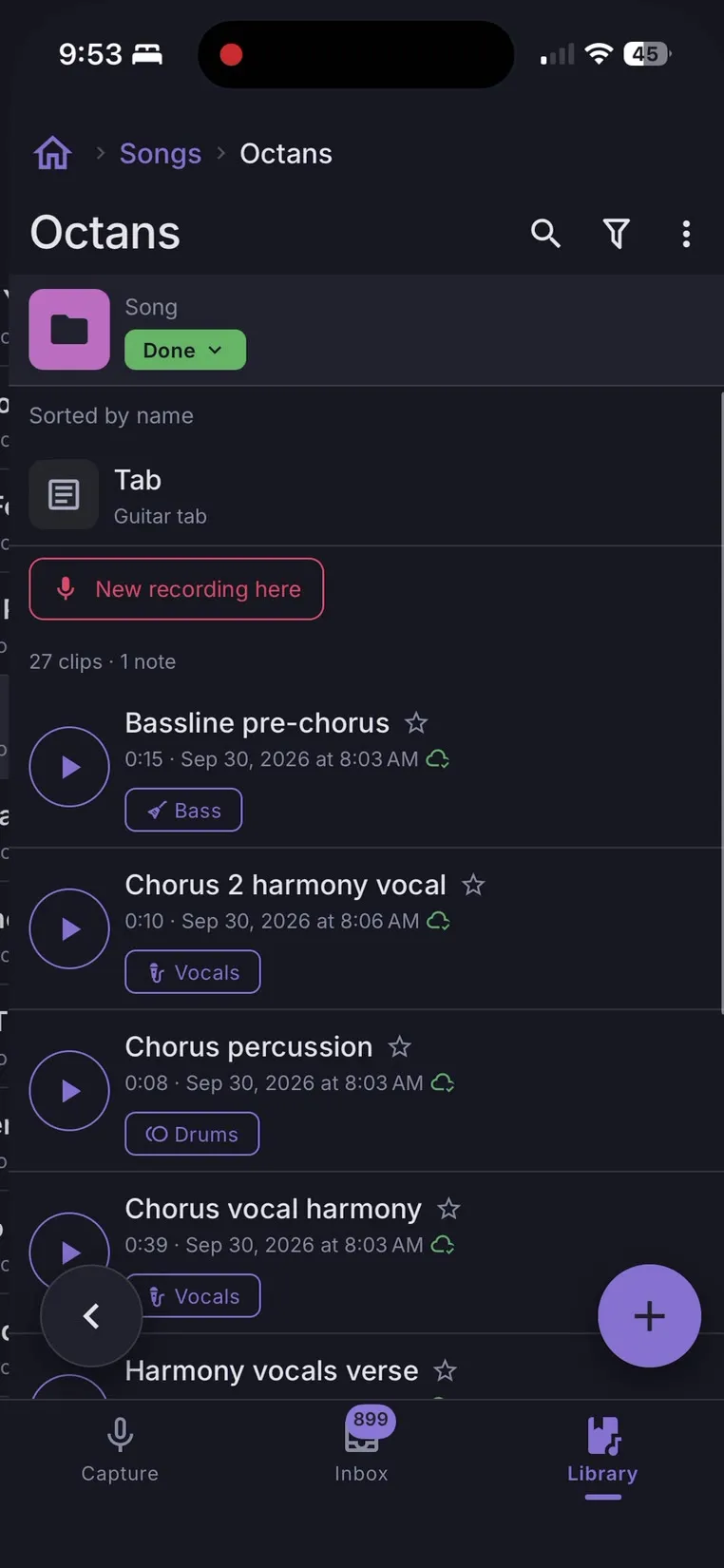
Record now, decide where it goes later.
One tap and you're recording, with no folder to pick and no file to name while the riff is still in your hands. The take waits in your Inbox until you're ready to file it. If you already know where it belongs, open that folder and record straight into it.
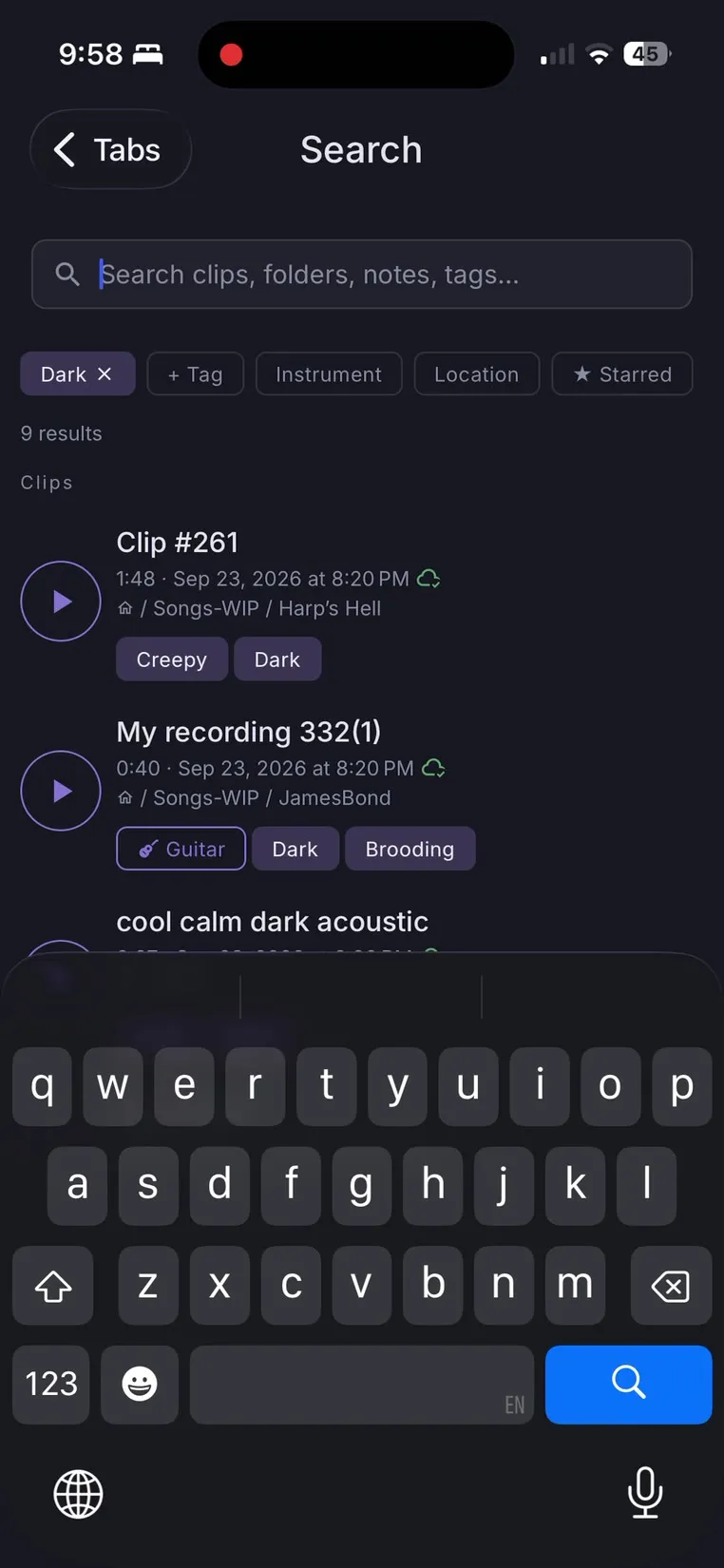
Everything you've filed is easy to find.
Search uses everything you put in. Type a word and it checks clip names, notes and tags at once. Filter by tag, mood, instrument and place to narrow hundreds of clips down to the dark guitar ideas from the cabin. Open a song to see every idea for it, or Recent to pick up what you recorded or played most recently.
Everything a song needs, written down.
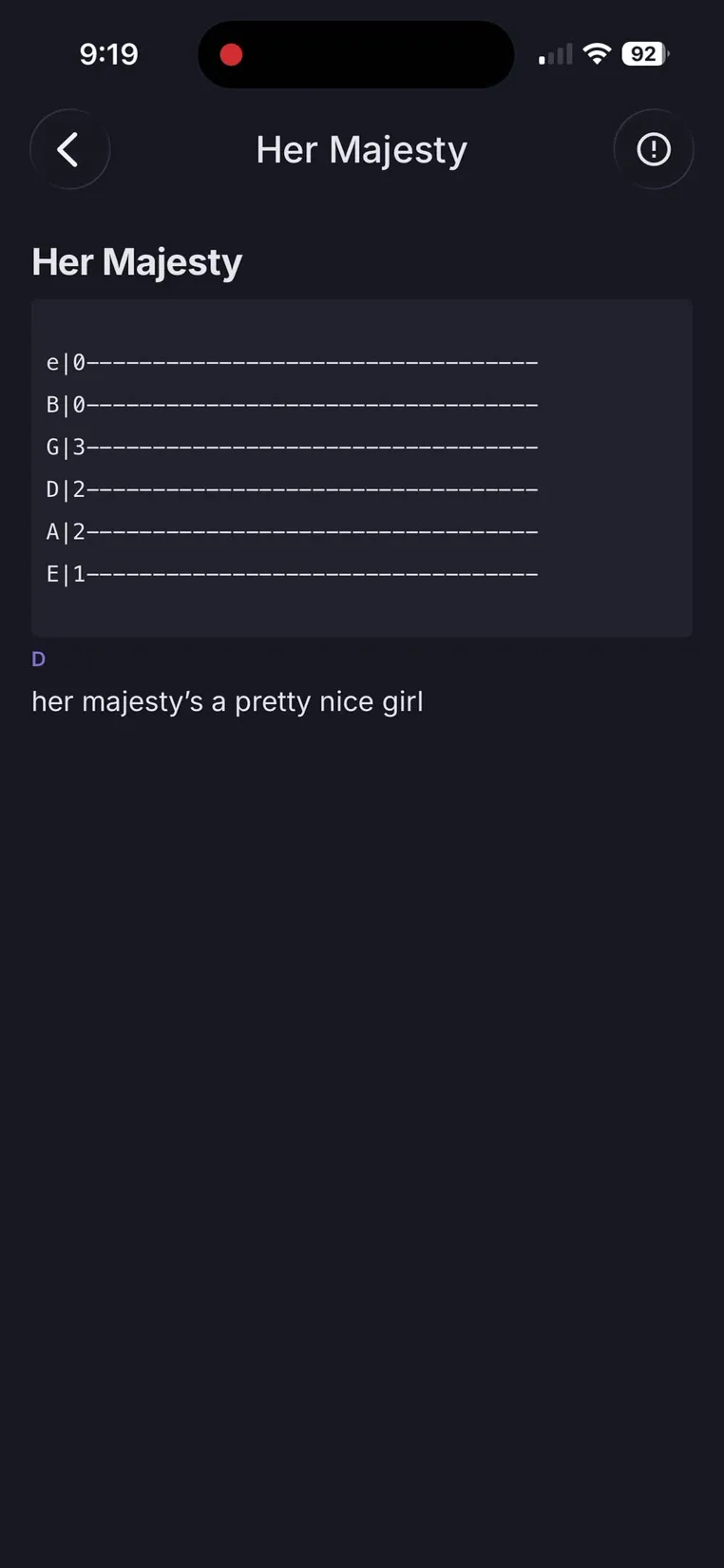
Keep notes beside your clips, with writing tools built for musicians. Write guitar tab on a keypad made for frets. Write out lyrics with chords over the syllables they land on, and mark the lines that are still a work in progress. Write down your amp settings, so you can dial in the same sound again.
It works offline and syncs when you're back online.
Fully usable offline
Record, organize and search with no signal, whether you're on the road or backstage.
Sync across your devices
With Sync, your clips, notes, tags and folders stay in step across your devices.
Backups you own
Back up your entire library as often as you like, in a format that can be read anywhere.
Easy import
Bring in voice memos and audio you already have. They land in your Inbox, ready to file like anything you've recorded.
AI disclaimer
This app was made by a musician who uses it every day. I've worked as a software developer for eight years, and I used AI tools to help build it. Every change is planned, tested and checked on real phones before release. My own ideas live in this app, so it will be maintained for a long time.
Help us test MuziMemo on your phone.
We're inviting a small group to the iPhone and Android beta. Tell us how you record and we'll pick a mix of phones and people who capture a lot.
- Early builds, a few weeks before everyone else.
- Testers keep Pro and get a year of Sync free.
- Your answers are used to choose testers, nothing else.
You're on the list.
We're choosing testers for a mix of phones and people who record a lot, so it may be a while. If we pick you, the invite arrives by email.
Check your inbox: Kit will email you a link to confirm the mailing list.
We couldn't reach the mailing list just now, so you're not on it yet.
Choose your plan
Your first 100 clips are free. Buy Pro once and keep it.
Free
- Every featureFirst 100 clips
- Record, play and back upAlways
- Offline use
- Sync between devices—
Pro
- Everything in Free
- Unlimited clips
- All future updatesIncluded
Questions
How is MuziMemo different from Voice Memos?
Recording works the same way: tap record and the clip lands in your Inbox, a simple list like the one in any voice recorder. The difference is one extra layer behind it, your Library, where you file clips into folders and songs, tag them and find them again.
Does MuziMemo work without an internet connection?
Yes. Everything works offline: recording, organizing, tagging and searching. Changes sync to your other devices the next time you're connected.
Is Pro really a one-time purchase?
Yes. Pay $60 once and every future update is included. Syncing between devices is a separate subscription, $19.99 a year or $1.99 a month, with end-to-end encryption included.
What happens after my first 100 clips?
Nothing stops working. You can keep recording, and every clip you have still plays, opens, edits and shares. After each new clip the app offers Pro, and you can say Not now. Clips in Recently deleted and overdub layers don't count, and backups are always free.
What does Sync cost, and what if I stop?
$19.99 a year or $1.99 a month, on top of Pro. End-to-end encryption is included at no extra cost. If your subscription ends, sync stops: your library stays on every device, you can still back it up, and we never delete the copy on our servers without emailing you and giving you at least 30 days to download it.
What format are backups in?
Backups cover your entire library and use a format that can be read anywhere, so your recordings and notes are never locked into the app. Make one as often as you like.
Can I import recordings I already have?
Yes. Import existing audio into MuziMemo, then file, tag and search it like anything you recorded in the app.
How does location tagging work?
Each clip is tagged automatically with the place it was recorded, so you can filter your library by where an idea came to you.
Which platforms is MuziMemo on?
Mac, Windows and Linux today, as a desktop app, from the download section below. iPhone is coming to the App Store, and Android after that.
Can I try the phone app before it's released?
Yes. We're running a beta on iPhone and Android. Join the list above and tell us how you record; we'll email invites to a mix of phones and people who record a lot.
Your next idea could come any time.
Have the app ready when it does.
Windows may say it protected your PC. Click More info, then Run anyway. The installer isn't signed yet.
Every platform
- macOSmacOS 12 or later
- .dmg
iPhone/Android: coming soon.
Get the phone app early: join the beta